
Genie QR Code Guide – Everything You Need to Know
The Genie QR Code Guide is a simple, beginner-friendly resource that explains QR codes from the ground up. This guide covers what QR codes are, how they work, the different types available, and how you can create them using a free QR code generator online.
This Genie QR Code Guide is written for clarity, not technical experts. If you want to understand QR codes without confusion, this guide is for you.
Genie QR Code Guide – Learn Everything About QR Codes
QR codes have become a standard way to share digital information instantly. From websites and contact details to WiFi access and online payments, QR codes allow people to access information without typing links or searching manually.
This section of the Genie QR Code Guide focuses on understanding QR codes themselves — how they are structured, how they function, and why they are widely used today. If you want to create QR codes yourself, Genie allows you to generate QR codes instantly with no signup and no usage limits.
No signup required • Unlimited free codes
- Instant Generation
- 100% Free Forever
- Used by 6,000+ People
What is a QR Code?
A QR code (Quick Response code) is a two-dimensional barcode designed to store digital information in a compact square pattern. When scanned using a smartphone camera or QR scanner, the code instantly displays the stored information.
Unlike traditional barcodes, QR codes can store more data and can be scanned from any direction. This makes them reliable for both digital and printed use. QR codes were originally developed in Japan and are now used worldwide as a standard method for fast information sharing.
How Do QR Codes Work?
A QR code is made up of black and white squares arranged in a grid. Each square represents encoded data that can be read by a scanning device.
When a smartphone camera scans a QR code, it recognizes the pattern, decodes the data, and converts it into readable information such as a website link, text, or connection details. Most modern smartphones support QR scanning directly through the camera app.
QR Code Guide for Beginners
This section of the Genie QR Code Guide is especially useful for beginners who want to understand how QR codes are built and why they work so reliably.
Every QR code contains positioning markers, alignment patterns, and error-correction data that help scanners read the code accurately, even if part of it is damaged or obscured. These built-in features allow QR codes to function consistently on screens, printed materials, and physical objects.
Types of QR Codes You Should Know
There are two main categories of QR codes commonly used today.
Static QR Codes
Static QR codes store information directly inside the code. Once created, the data cannot be edited or changed. These QR codes are permanent and continue to work as long as the encoded content remains available.
Dynamic QR Codes
Dynamic QR codes use a redirect system that points to the destination content. This allows updates without changing the printed QR code. Dynamic QR codes often include tracking and management features and are usually provided through paid services.
Why Are QR Codes Useful
QR codes simplify how information is shared in both digital and physical environments. They reduce friction, minimize errors, and save time.
Fast and easy to scan
Access websites or files in seconds.
Contactless and safe
Ideal for menus, payments, and public access.
Error-Free Sharing
No typing mistakes or broken links.
Works on All Devices
Compatible with Android, iOS, and desktop scanners.
Why QR Codes Are Widely Used
QR codes provide a fast and reliable way to access digital information without manual input. They improve efficiency across both physical and digital environments and are widely supported on modern devices.
Free for Lifetime Use
Generate unlimited QR codes with no hidden costs.
Wide Range of QR Types
Supports URLs, WiFi, contact cards, SMS, payments, and more.
Customizable Designs
Adjust colors, patterns, and shapes to match your style.
Add Your Own Logo
Add your own logo to the center of the code.
Instant Live Preview
See changes in real time before downloading.
Secure & Reliable
Generated QR codes are permanent and never expire.
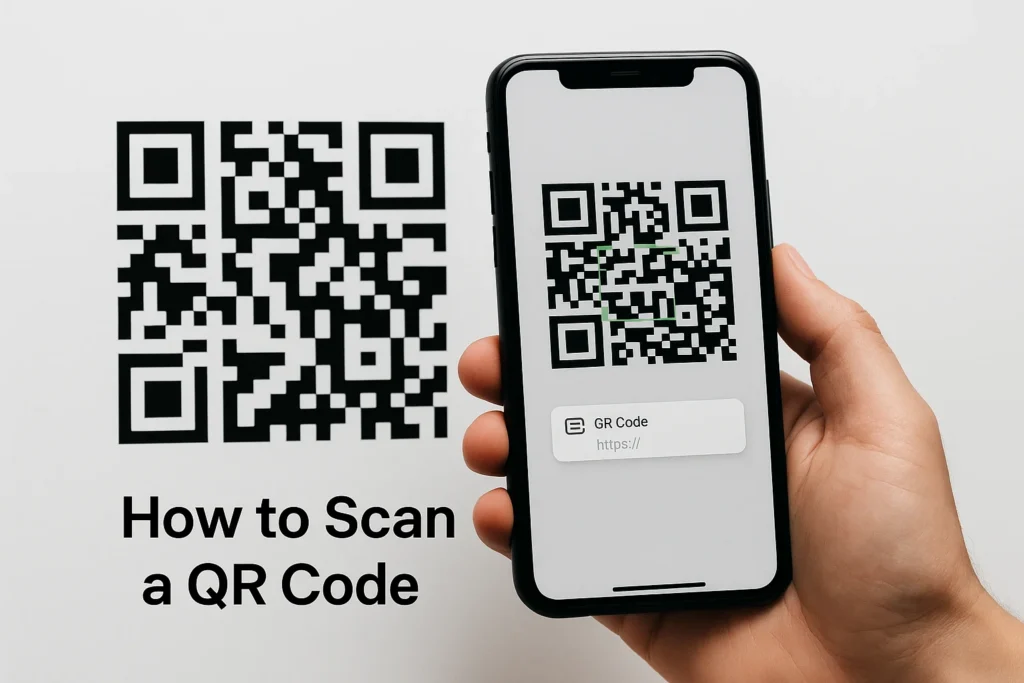
How to Scan a QR Code on Your Phone
Most smartphones today can scan QR codes using the built-in camera app.
To scan a QR code:
- Open your phone’s camera
- Point it at the QR code
- Tap the link that appears
If your device does not support this feature, free QR scanner apps are available on the Google Play Store and Apple App Store.
Genie QR Code – Your Free Online Generator
The Genie QR Code Generator Free Online allows you to design and download high-quality QR codes in just a few clicks. No software installation or technical knowledge is required.
Simply choose your QR code type, customize the design, and download the finished code instantly. Whether you’re a student, business owner, or marketer, Genie helps you create reliable, permanent QR codes that scan perfectly.
Create Unlimited Free QR Codes
Generate as many QR codes as you want — completely free.
Choose from Multiple QR Types
From URLs to WiFi access, contact info, or text messages.
Customize Every Element
Adjust size, colors, and patterns, or include your brand logo.
No Expiry or Limitations
Your QR codes remain active and scannable for life.
Ready to Create Your Own QR Code?
By following this Genie QR Code Guide, you now understand what QR codes are, how they work, and how easy they are to create using modern tools.
Take the next step and use the Genie QR Code Generator Free Online to design custom QR codes for your business, products, or personal use.
No sign-ups. No hidden fees. No expiration dates.
Just simple, permanent QR codes — completely free.