
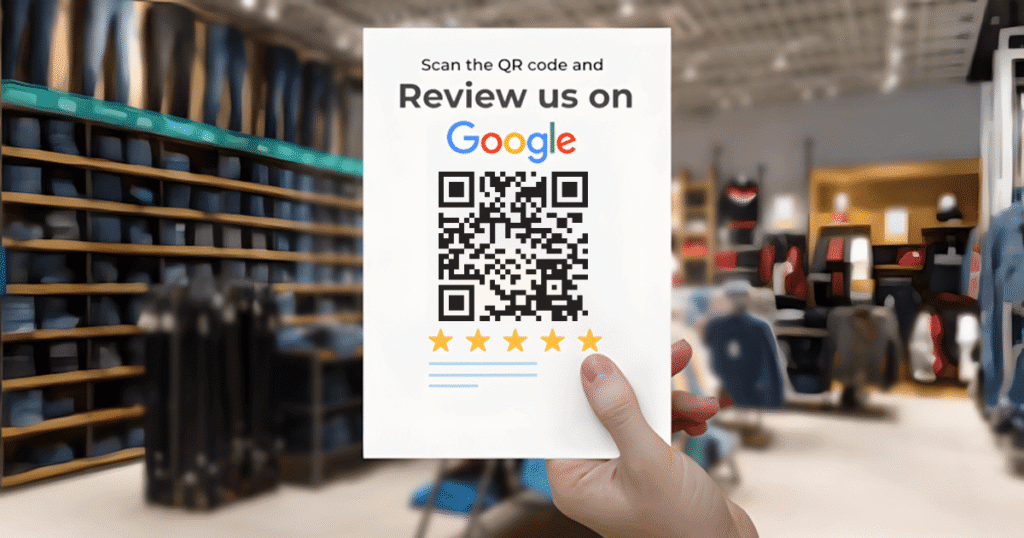
Google Reviews using QR Codes have revolutionized the way businesses collect customer feedback. With the digital landscape becoming increasingly competitive, customer reviews are not just testimonials — they are a critical part of your online visibility, trustworthiness, and local SEO performance.
Gone are the days when customers had to search for your business and navigate multiple steps to leave a review. Today, a simple QR code can turn a happy customer’s intent into an immediate action. In this blog, we will explore how to get more Google Reviews using QR Codes, the strategies to implement them effectively, best placement practices, and ways to maximize their impact for your business.
Why Google Reviews Are Crucial for Your Business
Before exploring Google Reviews using QR Codes, it’s important to fully understand why customer reviews play a critical role in modern business strategy. Positive reviews do more than just share experiences — they actively shape perceptions of your brand, influence purchasing decisions, and improve trust with potential customers.
1. Build Instant Customer Trust
Modern consumers rely heavily on reviews before making a decision. Positive feedback acts as social proof, signaling that your business is reliable, professional, and delivers quality service or products. When customers see authentic reviews, they feel confident engaging with your business, which can reduce hesitation and increase conversion rates.
2. Boost Local SEO Rankings
Google’s algorithms take into account not only the number of reviews but also their recency, relevance, and ratings. Businesses with more recent and positive reviews appear higher in local search results and on Google Maps. This visibility increases your chances of being discovered by nearby customers actively looking for services you provide.
3. Increase Conversions
A strong review profile directly impacts customer behavior. Studies show that businesses with higher star ratings receive more clicks, phone calls, and physical visits than competitors with fewer reviews. Reviews are effectively a free marketing channel — a single positive review can influence multiple prospective customers.
What Are Google Reviews Using QR Codes?
Google RGoogle Reviews using QR Codes are scannable codes that link directly to your Google review page, simplifying the review process. Instead of searching for your business online, navigating through multiple pages, or logging into Google manually, customers can scan a code and instantly access the review form.
This frictionless approach significantly increases the likelihood that satisfied customers will leave a review. By reducing barriers, QR codes transform a customer’s positive experience into immediate action, ensuring that more of your happy clients contribute to your online reputation.
How Google Reviews Using QR Codes Work
The process is straightforward:
- Generate your Google review link from your Google Business Profile.
- Create a QR code that links to this review page.
- Share the QR code with customers through print or digital mediums.
- Customers scan the code and leave a review instantly.
This simplicity is why Google Reviews using QR Codes are highly effective compared to traditional review requests.
Benefits of Google Reviews Using QR Codes
1. Faster Review Collection
A QR code eliminates time-consuming steps, allowing customers to leave feedback immediately after their experience. This immediacy increases the volume of reviews collected and ensures that impressions are captured while they are still fresh in the customer’s mind.
2. Mobile-Friendly Experience
Most Google reviews are submitted via smartphones. QR codes align perfectly with mobile behavior, allowing customers to provide feedback directly from their devices without switching apps or searching for your business online.
3. Cost-Effective
Creating QR codes does not require expensive software. Free platforms like Genie QR Code allow unlimited static codes with no scan restrictions, making them ideal for long-term use. Businesses can integrate QR codes into receipts, packaging, or printed signage without additional investment.
4. Increased Review Volume
By simplifying the review process, QR codes encourage more customers to share their experiences. A higher number of authentic reviews not only builds trust but also improves your visibility in local searches, which in turn attracts new clients.
Step-by-Step Guide to Create Google Reviews Using QR Codes
To create Google Reviews using QR Codes, you first need your official Google review link. Google allows business owners to easily generate this link directly from their Business Profile. To avoid errors and ensure accuracy, follow the official instructions provided in Google Business Help on sharing your review link
Step 1: Get Your Google Review Link
- Open your Google Business Profile
- Click “Share Review Form”
- Copy the unique link provided
Step 2: Generate a QR Code
Use a QR code generator like:
- Genie QR Code
- QR Code Generator
- The QR Code Generator
Ensure your QR code is:
- Static (doesn’t expire)
- Mobile-friendly
- Easy to scan from print
Step 3: Test the QR Code
Always scan it yourself to ensure it directs correctly to your Google review page.
Best Places to Use Google Reviews Using QR Codes
Strategic placement is key to maximizing reviews:
1. At Checkout Counters
Positioning QR codes at the point of sale ensures you capture customers at a moment when satisfaction is highest. Small signage explaining the benefit of leaving feedback can significantly boost scan rates.
2. On Restaurant Tables or Menus
For dining establishments, table tents, menus, and receipts provide natural touchpoints. Customers can scan and leave reviews immediately after enjoying a meal, creating a seamless and unobtrusive experience.
3. On Invoices and Bills
Service providers can attach QR codes to invoices, subtly reminding customers to share feedback while the experience is fresh. This method also reduces manual follow-ups for reviews.
4. Store Entrances and Exits
Placing QR codes at entry or exit points captures attention at moments when customers are reflecting on their experience. Simple messaging such as “Loved our service? Scan here to leave a Google review” works effectively.
5. Product Packaging and Deliveries
E-commerce and delivery businesses can place QR codes directly on packaging or shipment slips. Customers are prompted to leave reviews immediately upon receiving the product, increasing engagement rates and fostering trust.
How to Ask Customers to Leave Reviews
The message matters. Keep it simple and polite. Examples include:
- “Your feedback helps us improve! Scan to leave a Google review.”
- “Loved our service? Leave a quick review using this QR code.”
- “We’d love to hear from you! Scan here to share your experience.”
⚠️ Never incentivize reviews, pressure customers, or ask only happy customers to leave reviews. These practices violate Google’s guidelines and may result in penalties or review removal. You can read the full rules in Google’s official review policy guidelines.
Google Reviews Using QR Codes Across Industries
QR codes can be adapted to any business type:
- Healthcare Clinics: Patients can leave reviews after appointments.
- Education Centers: Parents and students can provide feedback quickly.
- Service Providers: Electricians, cleaners, and plumbers can share QR codes via receipts or WhatsApp.
- Retail Stores: Place codes near checkout for instant feedback.
Design Tips for QR Codes That Get Scanned
Creating a QR code is easy, but designing one that actually gets scanned consistently requires careful attention to visual appeal and usability. A well-designed QR code can dramatically improve engagement and ensure customers interact with it as intended. Here are some key design tips to maximize scan rates and overall effectiveness:
- Use high-contrast colors for visibility
- Include a clear call-to-action
- Avoid clutter around the code
- Ensure correct sizing for scanning
- Place at eye-level or accessible locations
Well-designed QR codes encourage action, while poor designs reduce scan rates.
Mistakes to Avoid
1. Asking at the Wrong Time
Request reviews when the customer is happy, not during complaints.
2. Hard-to-Scan Codes
Small, low-contrast, or damaged QR codes discourage use.
3. Violating Google’s Policy
- Do not offer incentives
- Do not filter only positive reviews
- Never post fake reviews
Tracking the Effectiveness of Google Reviews Using QR Codes
Even static QR codes without tracking can be evaluated by:
- Monitoring the growth in review count
- Measuring average rating improvements
- Asking customers how they discovered the review link
Dynamic QR codes offer analytics, but static codes are sufficient for most businesses.
How Google Reviews Using QR Codes Boost Local SEO
Frequent, high-quality reviews signal fresh activity to Google. This enhances your:
- Local search visibility
- Google Maps ranking
- Customer trust signals
A consistent review strategy with QR codes can have a noticeable SEO impact over time.
Future of Google Reviews Using QR Codes
QR codes are here to stay. As customers expect fast, frictionless interactions, using QR codes to gather reviews is now a standard practice for businesses that want a competitive edge.
Final Thoughts
If yoIf your goal is to increase Google reviews efficiently, Google Reviews using QR Codes provide a modern, practical, and cost-effective solution. They reduce friction, save time for customers, and allow businesses to capture feedback when satisfaction is highest.
By following a simple process — generating your Google review link, creating a QR code, placing it strategically, and asking politely — businesses can significantly enhance their online reputation. Over time, this approach improves trust, strengthens local SEO rankings, increases customer loyalty, and provides measurable growth opportunities.
For 2026 and beyond, QR codes are more than a convenience — they are an essential tool for businesses aiming to remain competitive in an increasingly digital and mobile-first marketplace. Implementing them thoughtfully ensures that your brand continues to thrive and maintains strong engagement with every customer interaction.